

TextPop
Select any text on your screen and instantly copy, transform, translate, fix grammar, or rewrite it — a smart floating toolbar that appears right where you need it.
About TextPop
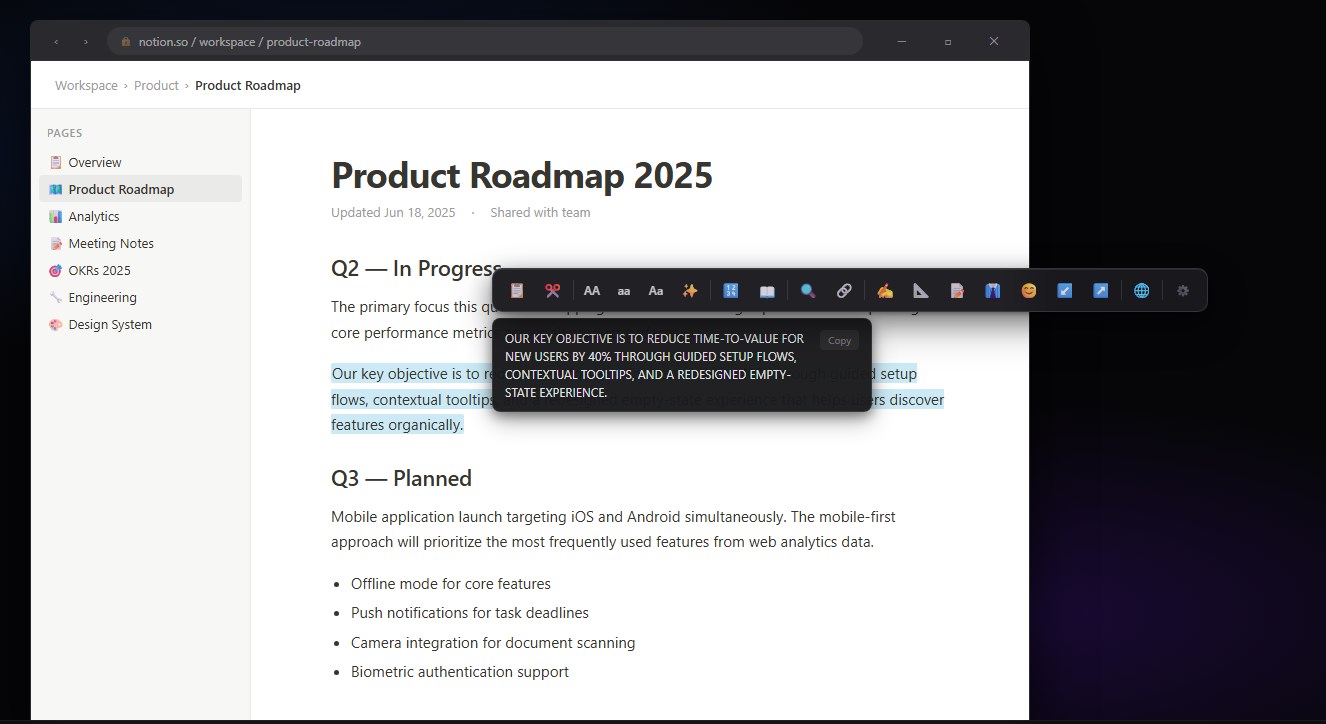
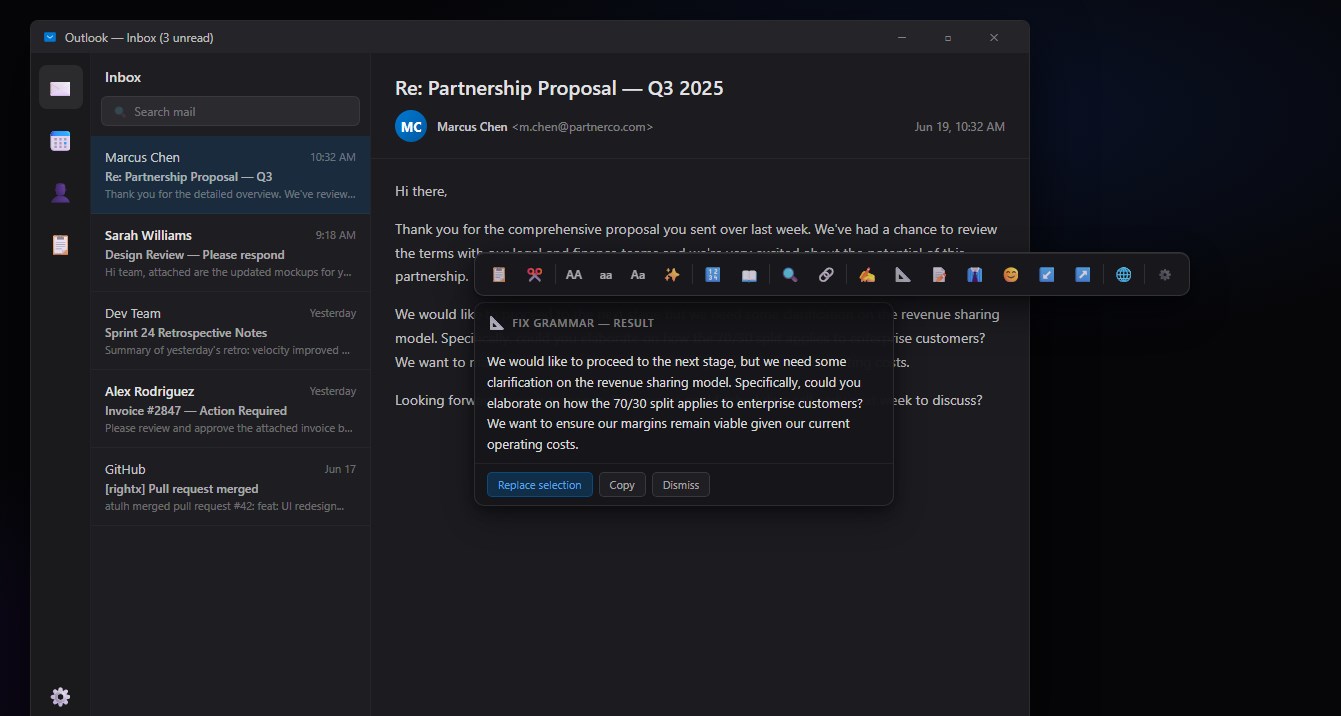
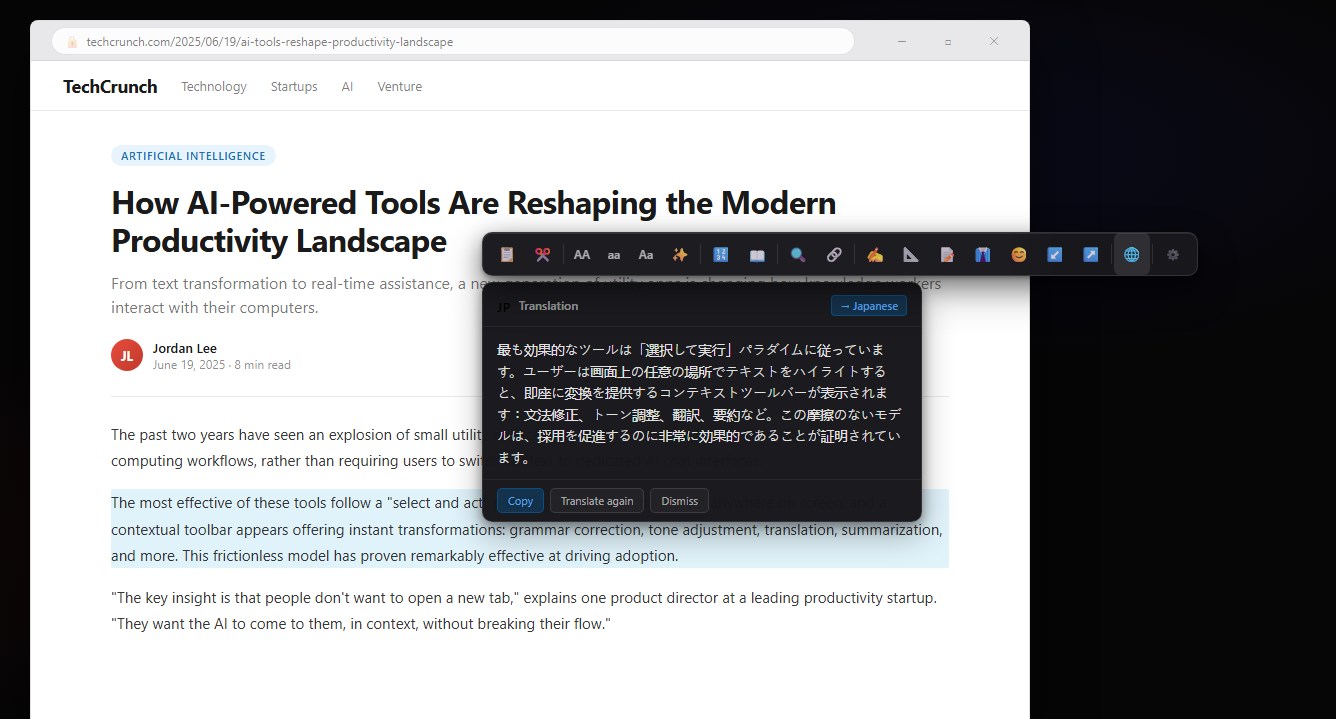
TextPop brings PopClip-style text superpowers to Windows 11. Select any text anywhere on your screen — in a browser, document, email, or any app — and a sleek floating toolbar instantly appears with powerful text actions at your fingertips.
NO MORE COPY-PASTE-SWITCH-PASTE. JUST SELECT AND ACT.
📋 COPY & CLIPBOARD • Copy selected text instantly • Copy Clean — strips formatting, HTML tags, and extra whitespace • Smart clipboard with one click
🔤 CASE TRANSFORMATIONS • UPPERCASE — shout it • lowercase — quiet it • Title Case — professional headings • Trim Spaces — clean up messy text instantly
🔍 SEARCH & OPEN • Search Google with selected text • Open selected text as a URL • Works from any app — browser, Word, Notepad, anything
📖 LOOKUP & INFO • Define a word — instant dictionary • Count words and characters in any selection
🤖 AI-POWERED TEXT TOOLS • Rewrite — rephrase any text in your own voice • Fix Grammar — instant grammar and punctuation correction • Summarize — condense long text to key points • Make Formal — professional, polished tone • Make Casual — friendly, conversational tone • Shorten — cut the fluff, keep the meaning • Expand — add detail and depth to short text
🌐 INSTANT TRANSLATION • Translate selected text to any language • Choose from 50+ languages with a single click • Results appear inline — no browser tab needed
APPEARS WHERE YOU NEED IT TextPop shows up exactly where you selected text — no hunting for a menu, no switching apps, no keyboard shortcuts to memorize. Just select and act. Done.
WORKS EVERYWHERE Compatible with virtually every Windows app: Chrome, Edge, Firefox, Word, Excel, Outlook, Notepad, VS Code, Slack, Teams, Discord, and more.
MINIMAL & UNOBTRUSIVE The toolbar auto-hides when you click away. No permanent UI on screen, no system tray clutter beyond a small icon. TextPop is there when you need it and gone when you don't.
BLAZING FAST Written in Electron with a highly optimized React UI. The toolbar appears within milliseconds of your text selection, with no perceptible delay.
CUSTOMIZABLE • Enable or disable individual actions • Reorder actions to match your workflow • Exclude specific apps where you don't want TextPop to appear • Add custom text snippets for instant insertion
1-DAY FREE TRIAL — try every feature before you buy.
Build or customize