

RightX - Smart Right-Click Menu
Smart right-click panel for Windows files. Instant image convert, video extract, code open & archive unzip — all from one sleek overlay.
About RightX - Smart Right-Click Menu
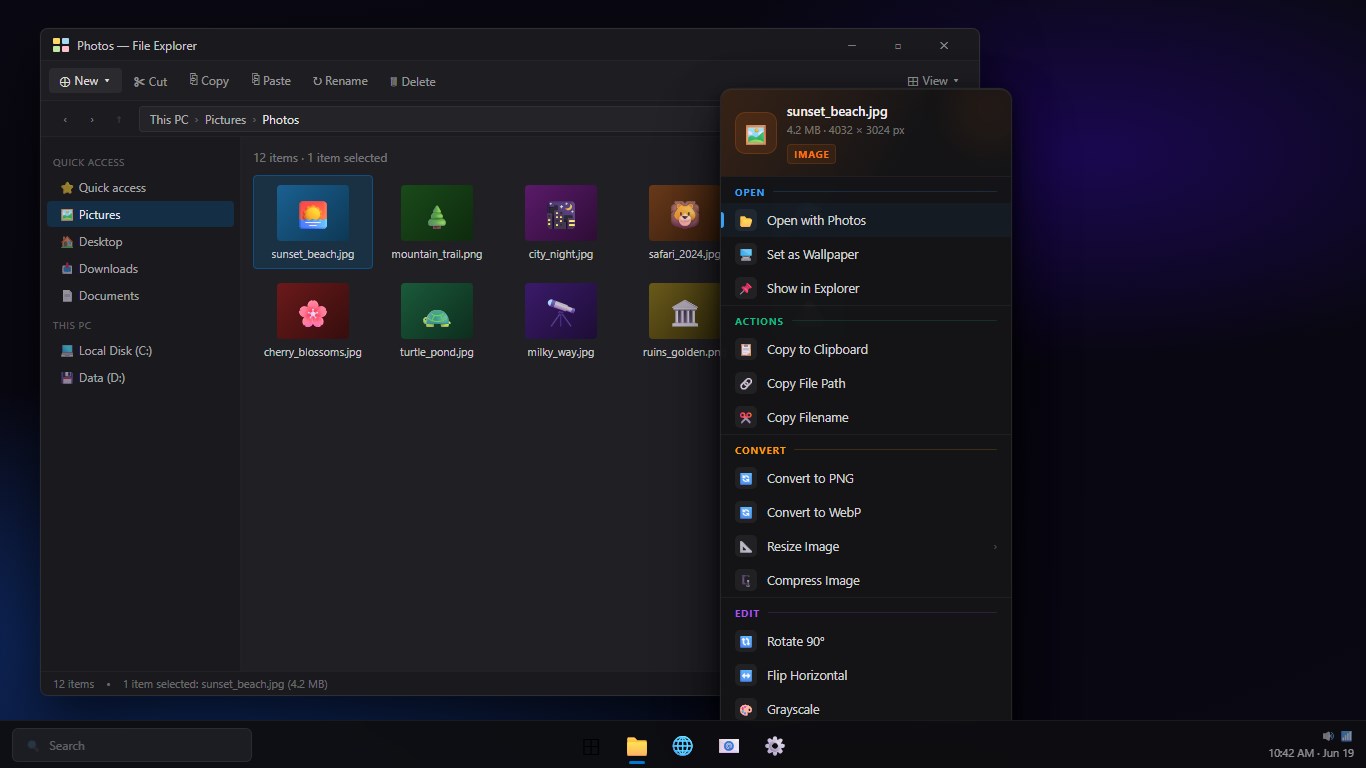
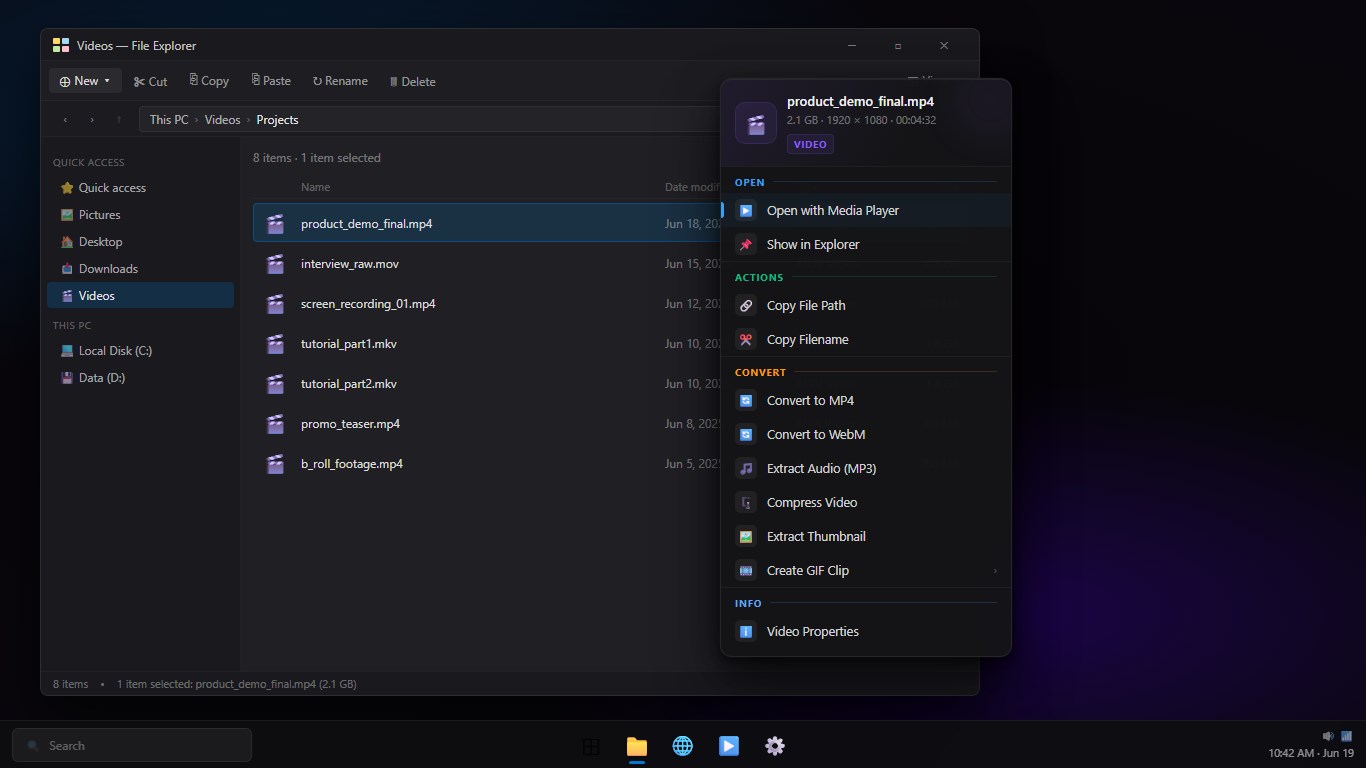
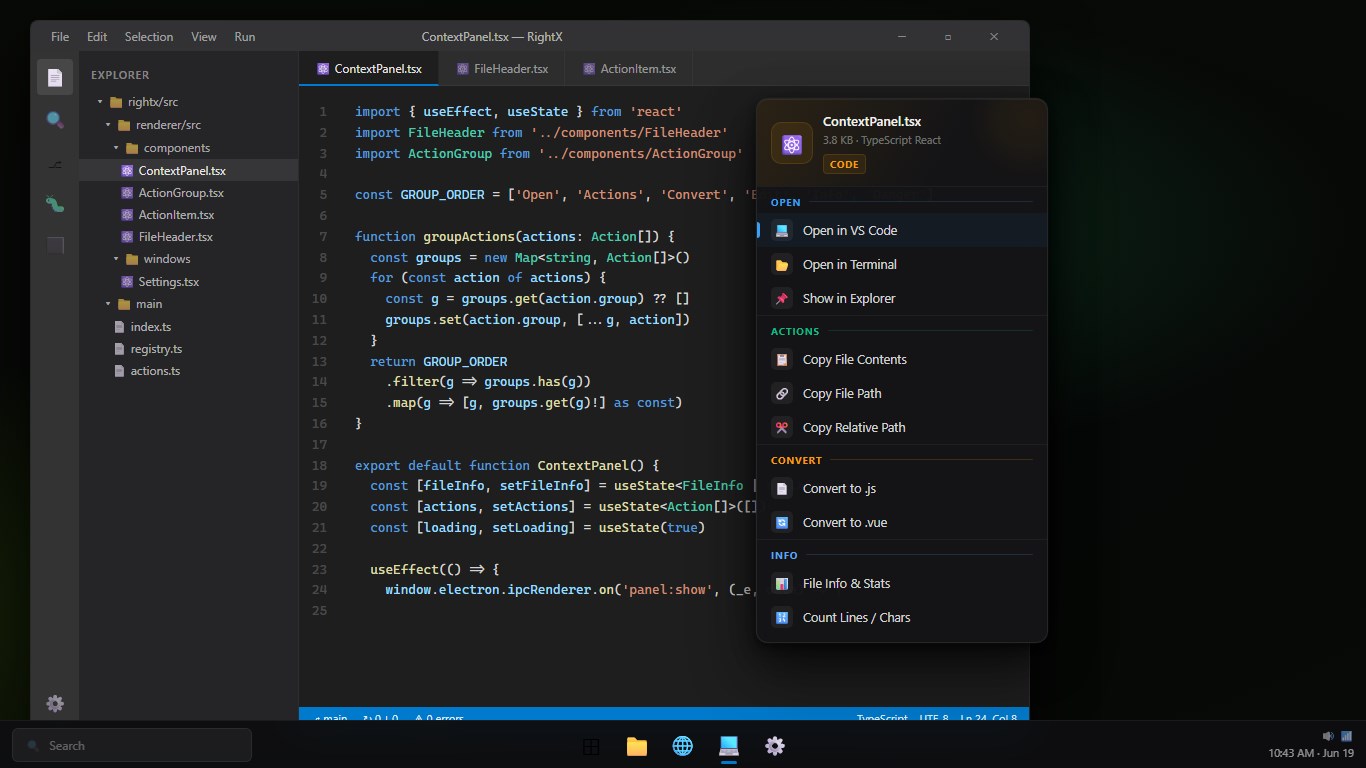
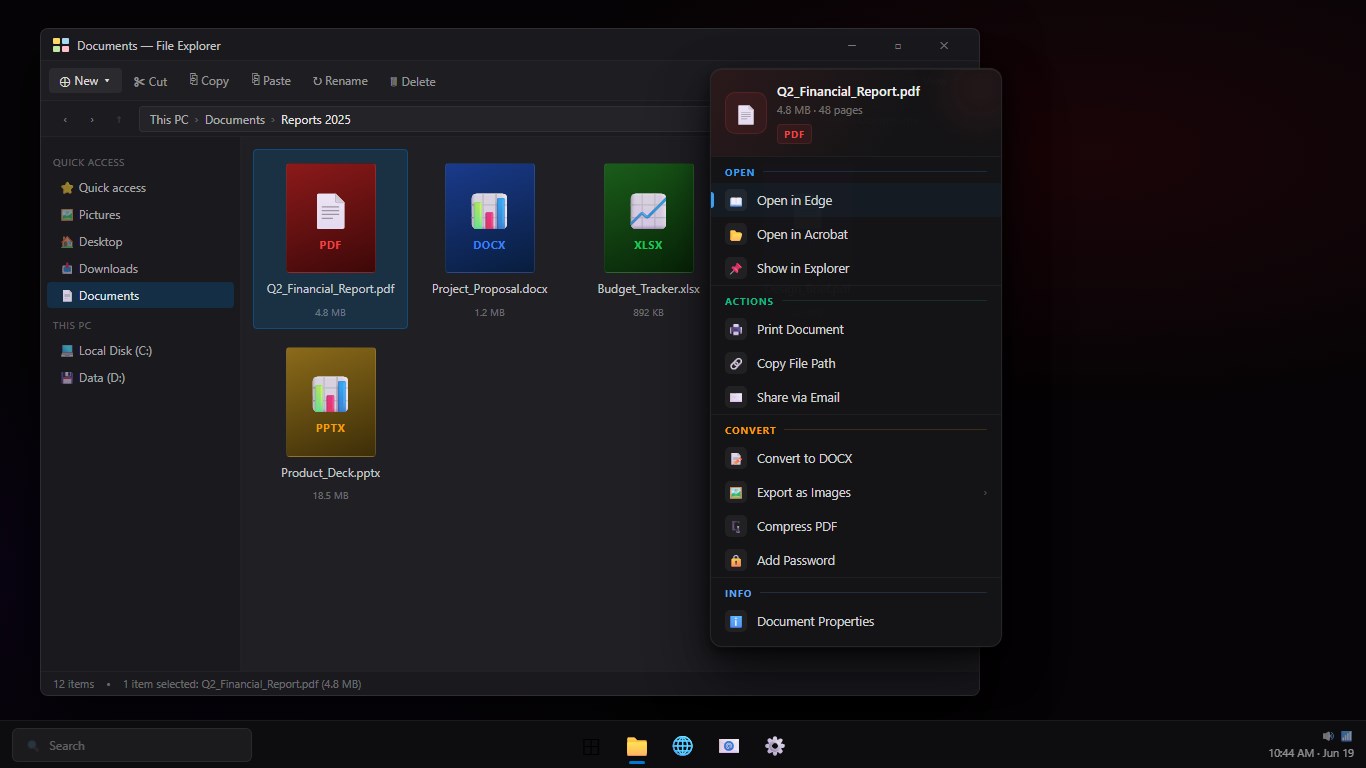
RightX gives you instant context-aware actions the moment you right-click a file in Windows Explorer. No menus to dig through — a sleek acrylic panel appears right where you clicked, showing only the actions that make sense for that file type.
Right-click an image? Get one-tap convert to PNG, WebP, or JPG, resize, compress, rotate, flip, or apply grayscale. Right-click a video? Extract audio in seconds. Right-click code? Open directly in VS Code. Right-click an archive? Extract it without launching another app.
RightX runs quietly in the background via the system tray and only appears when you need it. It's the fastest way to do common file operations on Windows 11.
KEY FEATURES • Smart right-click panel — appears near cursor, disappears when done • Image tools: convert to PNG/WebP/JPG, resize, compress, rotate, flip, grayscale • Video tools: extract audio as MP3 in one click • Archives: extract ZIP, RAR, 7z without opening another app • Code files: open instantly in VS Code • PDF: quick-open options • Action history to redo recent operations • Custom actions — add your own commands • Classic context menu restore (removes Windows 11 right-click delay) • Minimal acrylic UI that blends with Windows 11 • Runs silently in the system tray, zero startup slowdown
Build or customize